Watchmaking Workshops
Mechanical and quartz repairs, batteries, polishing, vintage restoration. Item history and parts tracked.
- Repair tracking
- Intake photos
- History per item
- Battery reminders
Tauro Lab Software
Designed for those who work with their hands, not with paperwork. Every repair tracked from bench to archive. Watchmaking and jewellery, tablet-first.
Small workshops live in operational chaos: paper envelopes, lost customer history, phone calls that steal time from the bench.
One tablet, and you have everything.
The solution02
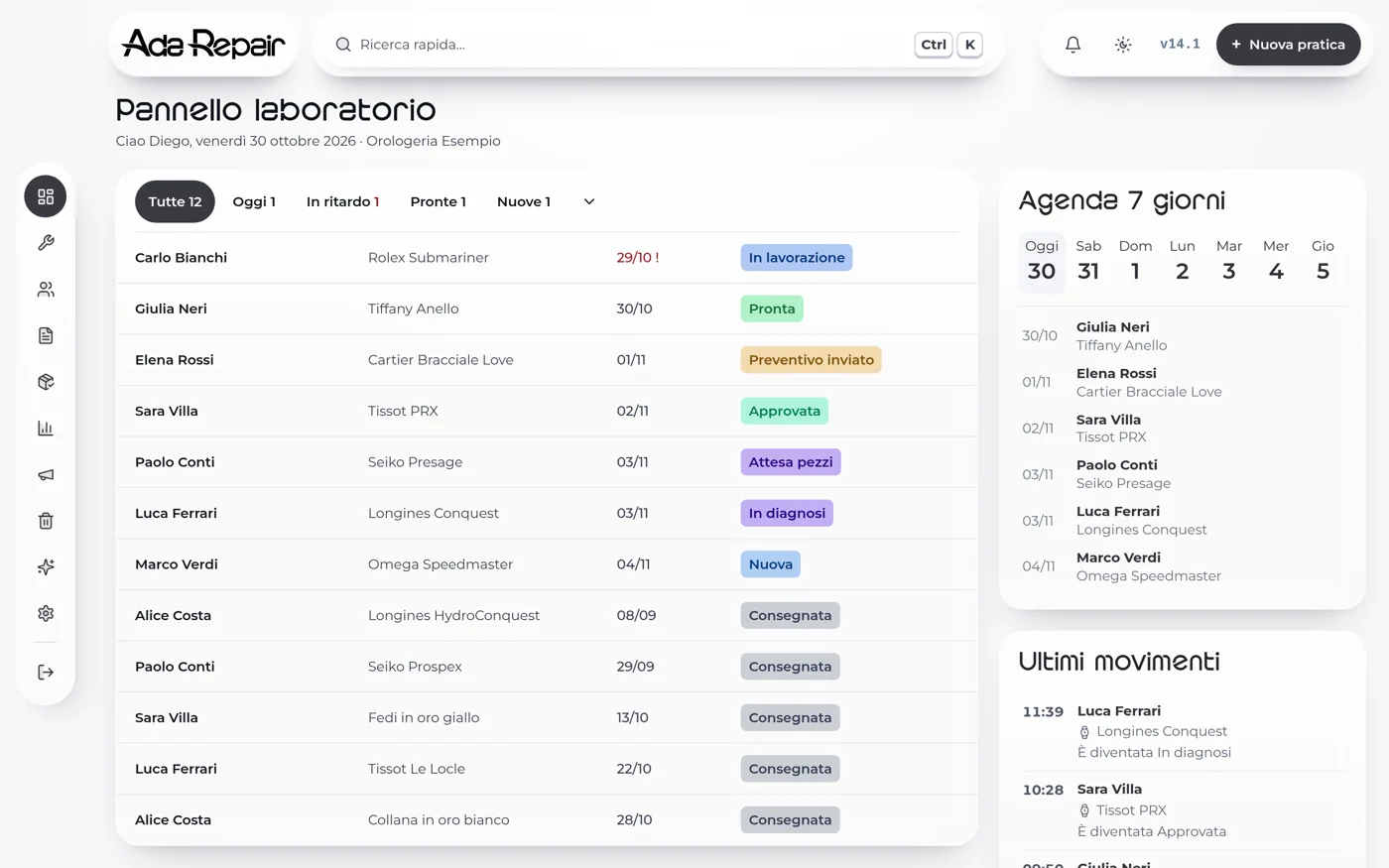
The bench
Every open, late or ready-for-pickup job: one panel, updated in real time.
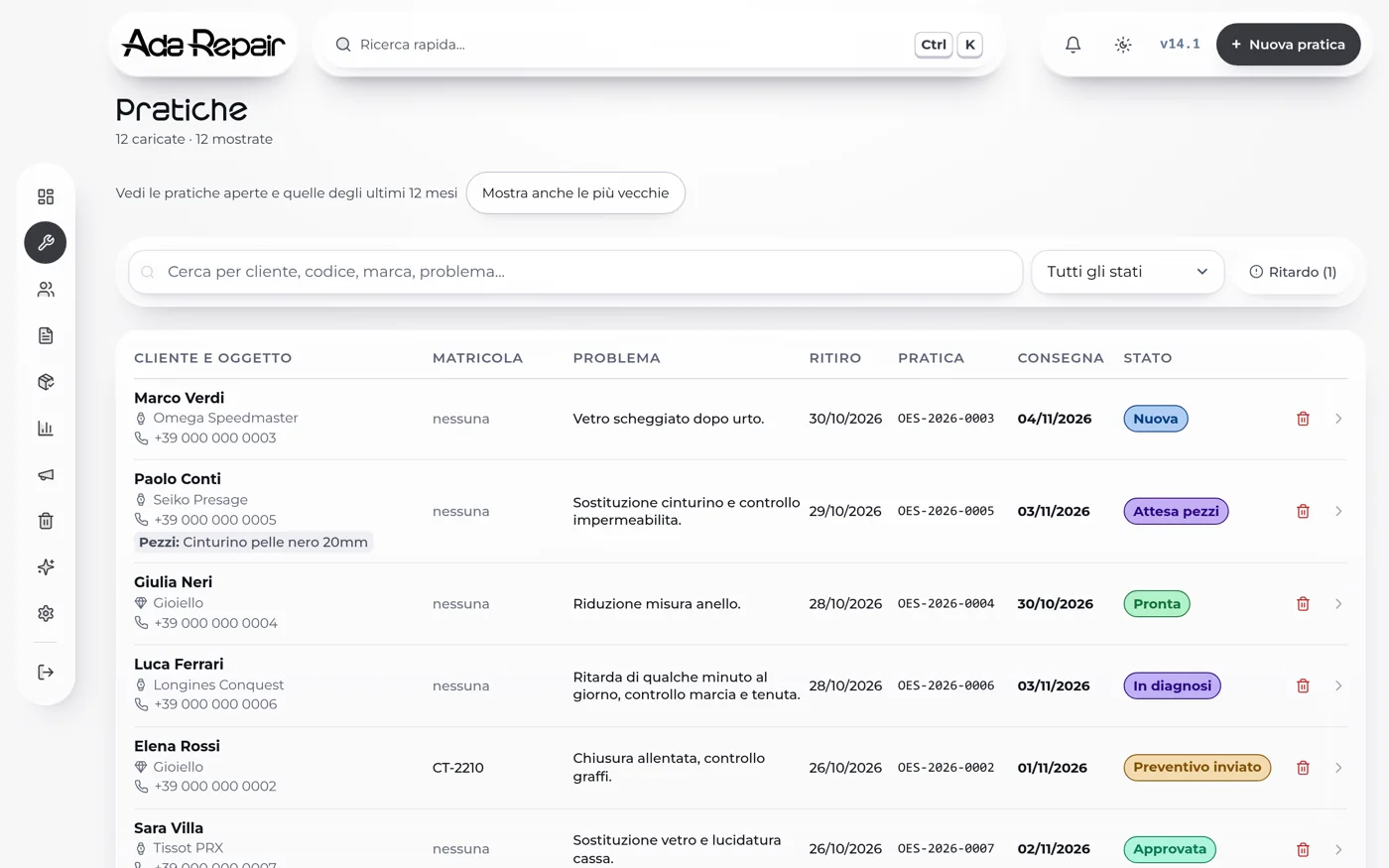
The jobs
Search, due dates and status for every repair: no more notebooks, no more "where did I write that?".
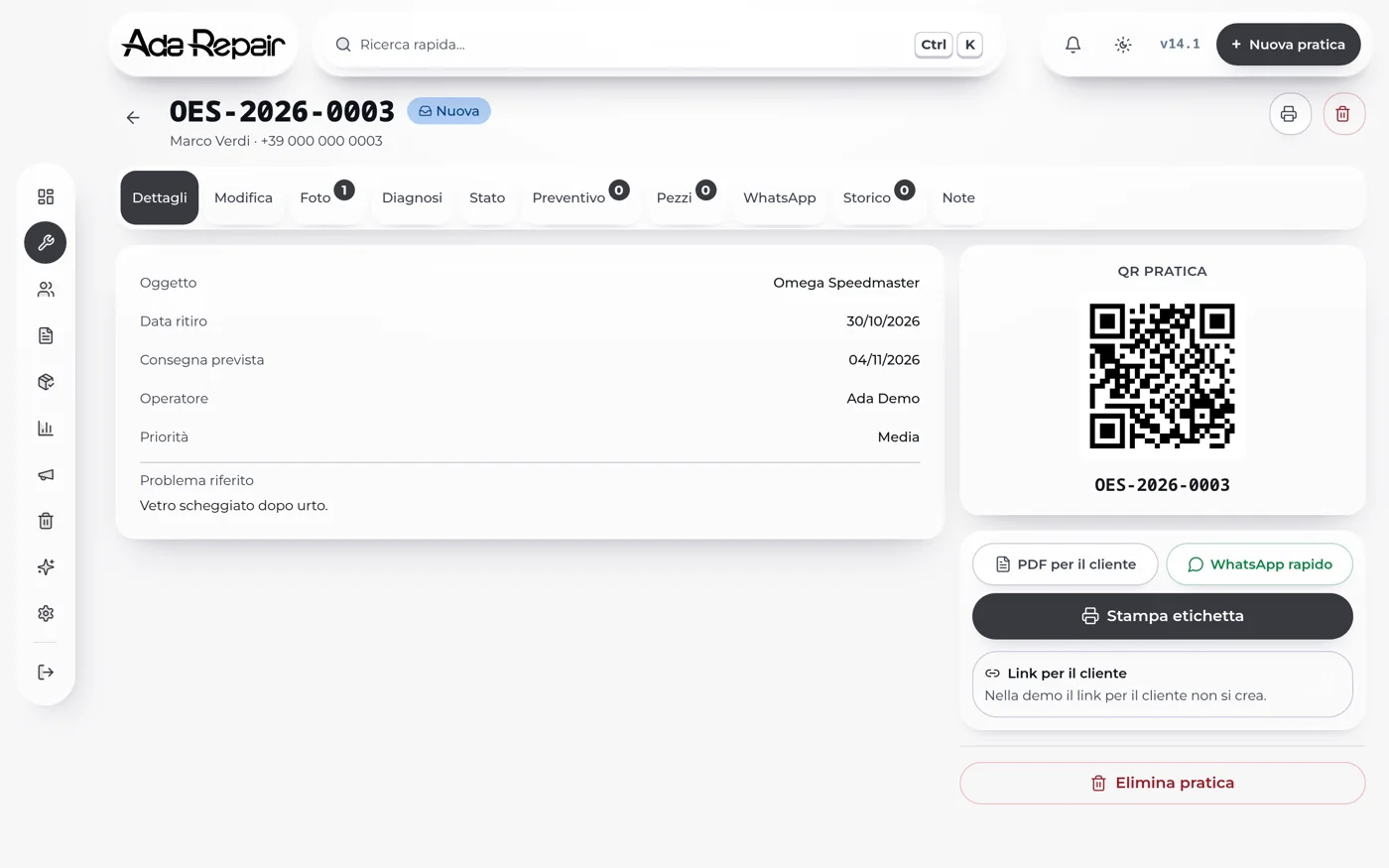
The record
Job QR code, customer PDF, quick WhatsApp: everything in one record, always at hand.
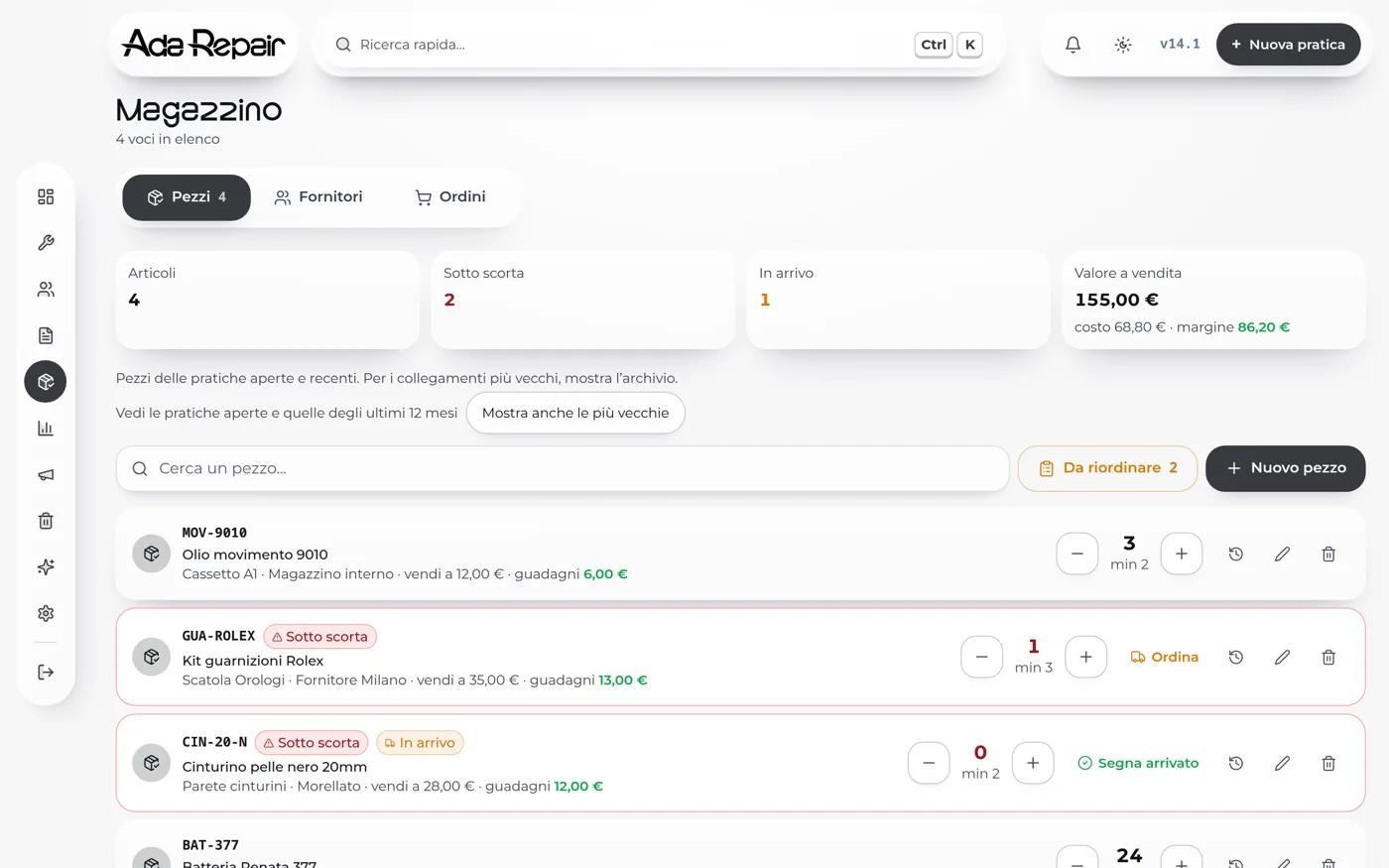
The inventory
Parts and spares with minimum stock, reorders and margins always visible: no surprises when you need a part.
Operational workflow04
Friction-free: every step is designed for the bench, in two taps at most.
Customer at the bench, operator opens Repair Lab on tablet.
Search the customer by phone or create one in 10s.
Unique code + QR. Print the thermal envelope label.
Scan the QR with the tablet, update the job status.
Tap on WhatsApp, pre-filled message ready.
Who it's for05
Mechanical and quartz repairs, batteries, polishing, vintage restoration. Item history and parts tracked.
Chains, rings, settings, engravings, pearl restringing. Detailed quotes and damage photos.
From 1 to 5+ operators. Each with assigned jobs. Admin/operator roles with different permissions.
Why Repair Lab06
Big buttons, little text, lots of icons. Every action in maximum 2 taps.
Incoming state photos, log of every status change, customer GDPR consent. You're better protected.
'New repair' form in less than 5 seconds. The customer doesn't wait.
FAQ07
Repair Lab is designed for watchmaking and jewellery workshops with 1-5 operators, focused on repairs. If your primary activity is taking items in, diagnosing, repairing and delivering, it's built for you.
No. Repair Lab is a web app: open the browser, log in and you're operational. Works on iPad, Android tablets, Windows PCs or Macs. No installations, automatic updates.
Yes. Request a free demo: we show you live how it works using your real workflow and answer all questions before any commitment.
European servers, daily backup, protected access. Designed with the GDPR in mind. Item photos are automatically deleted 30 days after delivery.
Yes, with most standard thermal printers (80×60mm or A6). We configure printing for your format together during onboarding.
Setup usually takes 1-2 days. We import your historical customers, configure logo and quote terms, train you and your team in a few hours.
Free demo
Book a demo: we'll show you live how Repair Lab handles your real workflow. Thirty minutes, no commitment, no credit card.